⚡ The Lightning Summary
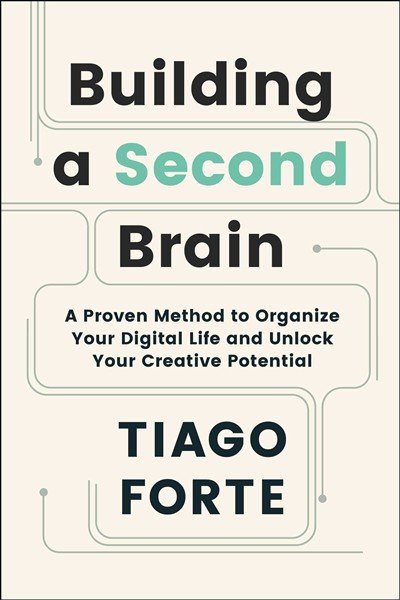
Building a Second Brain teaches you to create an external digital system for capturing, organizing and using information. By treating notes as knowledge building blocks and organizing them by actionability, you transform from an information hoarder into a prolific creator who can retrieve ideas instantly and produce work by assembling previously captured insights.
⭐ The One Thing
The one thing this book taught me: Your mind is for having ideas, not holding them. By externalizing your thinking into a trusted digital system organized around your active projects, you free up mental bandwidth for creativity while building a compounding knowledge asset that makes every future project easier than the last.
💭 First Impressions
The PARA system felt immediately actionable compared to other frameworks, while “Intermediate Packets” completely reframed how I think about work-in-progress and Progressive Summarization seemed obvious but powerful. The emphasis on organizing for action rather than topics challenged my academic training, with the focus on creation over consumption being the exact mindset shift I needed. The book practices what it preaches by being highly distilled and scannable, while being app-agnostic makes it future-proof despite some repetitive examples.
🔑 Key Concepts
-
Notes as Knowledge Building Blocks: Modern notetaking isn’t about recording everything verbatim. A note is a discrete unit of information interpreted through your unique perspective and stored outside your head. This reframes notes from passive records into active assets you can recombine and reuse across multiple projects.
-
The Second Brain as Extended Cognition: We can’t rely on our Paleolithic memory to handle modern cognitive demands. A Second Brain is a digital commonplace book combining a study notebook, personal journal and idea sketchbook. It becomes a mirror reflecting back your recurring patterns, values and best thinking while removing the burden of trying to remember everything.
-
Organizing for Actionability, Not Topics: Traditional organizational systems fail because they’re optimized for librarians, not creators. PARA organizes everything by how actionable it is right now. This ensures you encounter the right information at exactly the right moment, making your knowledge immediately useful rather than buried in complex taxonomies.
-
Capture What Resonates: You can’t save everything without drowning in information. Instead of analytical decision-making about every piece of content, trust your intuition and save only what genuinely resonates with you. This creates a collection that reflects your authentic interests and favorite problems rather than what you think you “should” know.
-
Intermediate Packets as Creative Building Blocks: All creative work can be broken down into small, reusable units: distilled notes, outtakes, work-in-process, final deliverables and documents from others. By thinking in terms of these packets, you become interruption-proof, can make progress in any time span and eventually execute entire projects by assembling pre-existing components.
🧠 Mental Models & Frameworks
-
The CODE Method: Capture what resonates, Organize by actionability into PARA folders, Distill using Progressive Summarization, Express by sharing Intermediate Packets. Use this four-step workflow for every interaction with information, making capture automatic and retrieval effortless.
-
PARA System (Projects, Areas, Resources, Archives): Everything goes into one of four categories based on actionability: Projects (short-term outcomes with deadlines), Areas (long-term responsibilities), Resources (topics of interest), Archives (inactive items). Ask “In which project will this be most useful?” first, then cascade down to areas, resources and finally archives.
-
Progressive Summarization: Layer 1 is captured excerpts, Layer 2 is bolded main points, Layer 3 is highlighted best passages, Layer 4 is an executive summary in your own words. Each layer contains only 10-20% of the previous layer. Highlight in layers only when actively working on a project.
-
Twelve Favorite Problems: Maintain a list of open-ended questions you’re perpetually curious about. Test every new idea against these problems to see if it helps answer them. This creates a filter for what deserves space in your Second Brain, ensuring everything you save connects to what you actually care about.
-
The Cathedral Effect: Just as physical spaces with high ceilings promote abstract thinking and low ceilings promote concrete thinking, your digital environment shapes your cognition. Create dedicated “mind cathedrals” for different types of work where all relevant materials are pre-assembled.
💬 My Favorite Quotes
Your mind is for having ideas, not holding them.
We spend countless hours reading, listening to, and watching other people’s opinions about what we should do, how we should think, and how we should live, but make comparatively little effort applying that knowledge and making it our own.
To attain knowledge, add things every day. To attain wisdom, remove things every day.
🙋 Who Should Read It?
-
Knowledge workers drowning in information who consume endless content but can’t remember or apply what they’ve learned when it matters.
-
Creative professionals starting every project from scratch who waste hours gathering materials they know they’ve seen before but can’t locate.
-
Mid-career professionals hitting a productivity ceiling who can’t scale their impact because their best ideas remain locked in their heads or scattered across dozens of tools.
🔗 Additional Resources
Foundational Books Referenced:
- “Getting Things Done” by David Allen (productivity and trusted systems)
- “The Creative Habit” by Twyla Tharp (creative process and organization)
- “The Extended Mind” by Annie Murphy Paul (extended cognition theory)
Related Personal Knowledge Management:
- Zettelkasten method by Niklas Luhmann (interconnected note-taking)
- “How to Take Smart Notes” by Sönke Ahrens (academic knowledge management)
- Evergreen notes concept by Andy Matuschak (progressive note refinement)
Implementation Tools:
- Notion, Obsidian, Roam Research, Evernote
- BASB cohort-based course by Tiago Forte for deeper implementation