⚡ The Lightning Summary
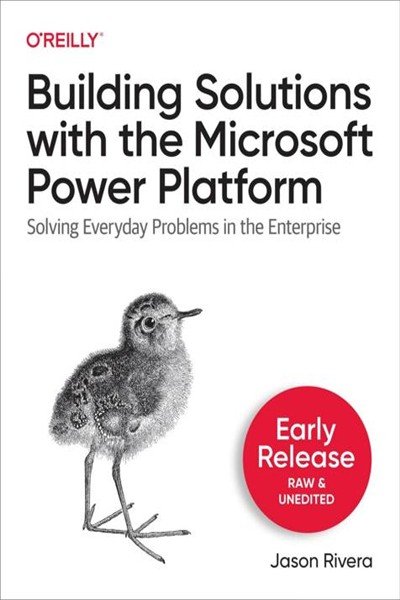
Building Solutions With the Microsoft Power Platform is a practical guide that demonstrates how non-developers can rapidly create business solutions using low-code/no-code tools. The book walks through Power Apps for custom applications, Power Automate for workflow automation, Power BI for business intelligence, Power Virtual Agents for chatbots, AI Builder for intelligent automation and Microsoft Dataverse for data management. Through real-world examples and hands-on tutorials, it shows how businesses can solve critical problems in hours instead of weeks without requiring traditional development teams or extensive technical expertise.
⭐ The One Thing
The one thing this book taught me: You don’t need to be a professional developer to build powerful, end-to-end business solutions that would traditionally require teams of developers, project managers and database engineers. The Power Platform democratizes software development by abstracting away technical complexity while maintaining enterprise-grade capabilities for data management, security and integration.
💭 First Impressions
What immediately grabbed my attention was the opening story about solving a critical skills-tracking problem in just 8-12 hours versus the 4-8 weeks it would take with traditional development. This wasn’t just theory; the author built something real that solved a genuine business crisis. What made it even more compelling was his admission that he wasn’t an expert when he built his first major solution, which made the whole platform feel accessible rather than intimidating. The breadth of capabilities across Power Apps, Power Automate, Power BI and Power Virtual Agents creates genuine end-to-end solution possibilities that I hadn’t fully appreciated before.
🔑 Key Concepts
-
Low-Code/No-Code Movement: The shift toward citizen developers creating business solutions without traditional programming skills addresses the speed of business needs while reducing costs. Traditional projects requiring developers, project managers, database engineers and UI/UX designers can now be prototyped by single individuals in days rather than weeks, allowing smaller projects that would otherwise be deprioritized due to budget constraints to move forward.
-
The Core Four Applications: Power Apps creates custom web and mobile forms for data collection, Power Automate builds automated workflows and business processes, Power BI visualizes data through dashboards and reports, and Power Virtual Agents enables conversational interfaces through chatbots. These four tools integrate seamlessly to create complete business solutions from data capture through automation to reporting.
-
Microsoft Dataverse as the Foundation: Unlike spreadsheets or SharePoint lists, Dataverse provides enterprise-grade data storage with built-in security, compliance, standard tables, relationship management and business logic. It automatically adds common columns (Created By, Modified By, Status) and integrates across all Power Platform solutions while maintaining proper security and audit trails.
-
Connectors as Integration Bridges: Over 500 connectors act as wrappers to APIs, hiding the complexity of connecting to external services like SharePoint, SQL, Salesforce, Gmail, Twitter and hundreds of others. Instead of writing code to authenticate and call APIs, users simply provide basic information through forms and the connector handles the technical implementation.
-
AI Without Data Science Background: AI Builder and Power Virtual Agents make artificial intelligence accessible through guided interfaces for creating models that extract data from documents, detect objects in images, predict outcomes and understand natural language. Prebuilt models work immediately while custom models guide you through training with sample data, making tasks that require human intelligence automatable without technical AI expertise.
🧠 Mental Models & Frameworks
-
Incremental Solution Building: Start with solving the immediate pain point (like sending automated emails), then gradually add features (data collection app, then reporting dashboard) as the solution proves value and requirements become clearer. Instead of planning the “perfect” comprehensive system upfront, ship a minimal solution quickly and evolve it based on actual usage and feedback.
-
Cost-Benefit Threshold for Citizen Development: Projects requiring 4-8 weeks with a team of 5-7 specialists cost tens of thousands of dollars per week, creating a natural filter that deprioritizes smaller but important business needs. If a single person can prototype it in 8-12 hours, the cost-benefit calculation completely shifts. Maintain a backlog of “too small to prioritize” automation ideas and evaluate which could be solved quickly with low-code tools.
-
Forms vs. Conversations: Traditional forms show all fields regardless of relevance, while chatbots ask questions conversationally and can skip unnecessary questions, handle natural language inputs (like “4 days from today”) and provide a more engaging experience. Consider chatbot interfaces for intake processes where the path through questions varies significantly based on user responses.
-
Prebuilt vs. Custom AI Models: Prebuilt models (business card reader, invoice processing, sentiment analysis) work immediately with common document types and use cases, while custom models require training with 5+ sample documents to learn your specific format. Start with prebuilt models whenever possible to validate the use case, then invest time in custom model training only when prebuilt options don’t match your specific needs.
-
Environment-Based Security and Development: Environments act as containers that separate development work (Sandbox) from short-term testing (Trial) from production business use, with separate security permissions and data isolation in each. Always develop and test in non-production environments before deploying to business users.
💬 My Favorite Quotes
The Power Platform gives you the tools that you need to build those forms and create automated processes quickly so that you can build solutions that address a problem and incrementally improve it as your business grows.
Chat bots can be quite the time saver if used correctly. If you’re interested in incorporating bots into your organization, think of the places where you may have a long form where certain fields need to be filled out depending on the previous responses. Chat bots can handle this scenario easily with branching logic that skips unnecessary questions, kicks off actions that record the information in the appropriate system, and provides the user with a bit of a personal or humanlike interaction.
Prebuilt models allow you to get up and running quickly and are used with common pieces of data. Even though business cards come in a wide variety of formats, the information on those cards are fairly similar. There’s usually a person’s name, email, company name, work address, job title, phone number, and web address.
🙋 Who Should Read It?
-
Business analysts and process owners who understand business requirements but don’t have programming skills and are frustrated by how long it takes IT to build solutions for their needs or how often small-but-important projects get deprioritized due to development resource constraints.
-
IT professionals and administrators who are overwhelmed with requests for small applications and workflows and need to empower citizen developers while maintaining governance, security and data integrity across the organization.
-
Small business owners and entrepreneurs who can’t afford to hire development teams but need custom solutions to track data, automate workflows and gain insights from business information beyond what off-the-shelf software provides.
-
Department managers dealing with manual processes that are error-prone and time-consuming (employee onboarding, invoice approvals, skills tracking, help desk intake) where a form plus workflow automation could save hours per week.
-
Anyone inheriting Excel-based systems that have become mission-critical but are fragile, lack proper security, don’t scale well and create data integrity issues as more people need access.
-
Professionals exploring digital transformation who need to understand what’s possible with modern low-code platforms and how to evaluate whether these tools can replace or augment traditional development approaches in their organization.
🔗 Additional Resources
Related Microsoft Documentation and Services:
- Microsoft Power Platform Admin Center for environment and license management
- Azure Cognitive Services for additional AI capabilities beyond AI Builder
- Microsoft Dataverse documentation for advanced data modeling
- Power Platform Center of Excellence (CoE) Starter Kit for governance
- Microsoft Learn platform for certification paths and hands-on labs
Complementary Low-Code/No-Code Platforms:
- Zapier and Make.com for cross-platform automation
- Airtable for low-code database and app building
- Retool for internal tool development
- Bubble for full-stack web application development
- AppSheet (Google) for mobile app creation
Business Process and Automation Frameworks:
- Business Process Model and Notation (BPMN) for documenting workflows
- Robotic Process Automation (RPA) concepts for understanding desktop automation
- Digital transformation frameworks for organizational change management
- Citizen development governance models and best practices